Android SSTP VPN setup
On this instruction, every screen-shots are taken with application Open
SSTP Client v.1.6.5.1 and Android 10.x. Other versions of Open SSTP Client and Android are similar to
be configured, however there might be minor different.
- Download third-party application “Open SSTP Client”, available on Google Play.
- Start the “Open SSTP Client” application on Android.
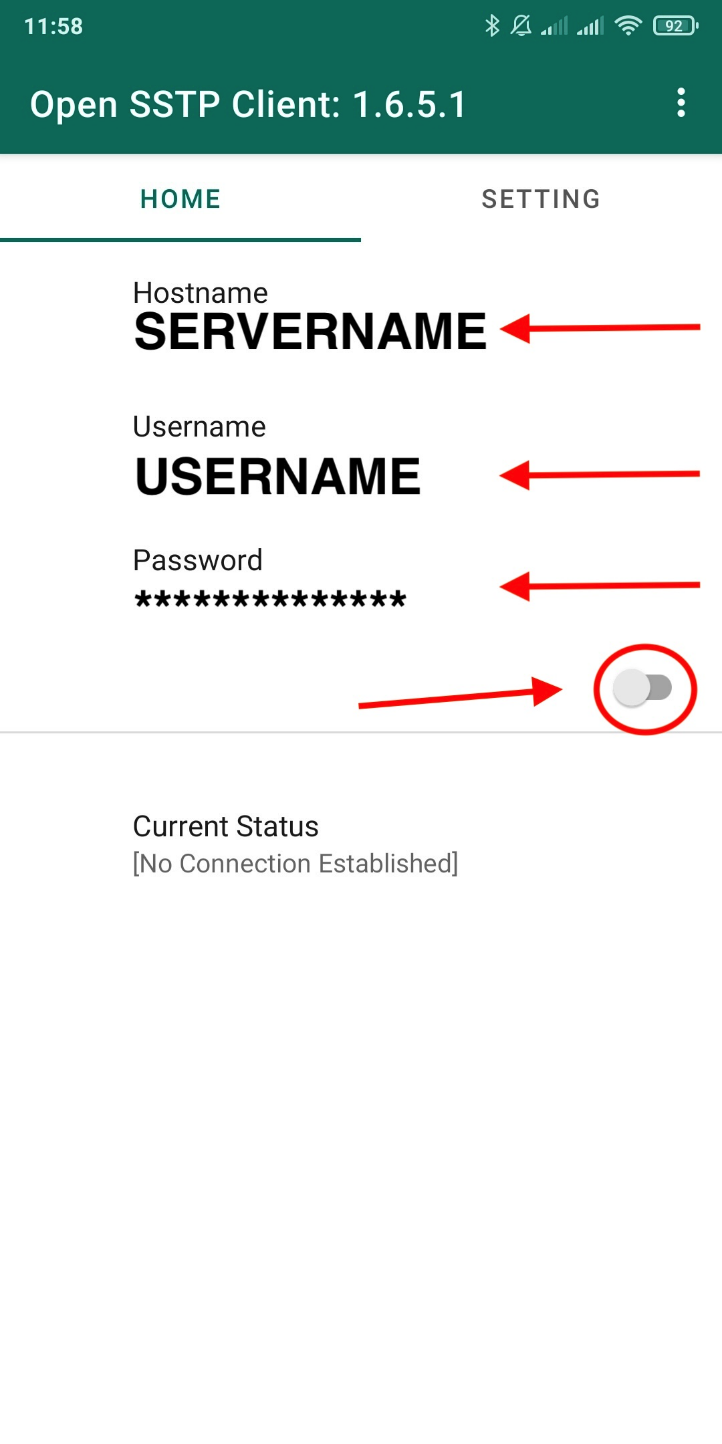
- Now enter the VPN details issued by our support, then turn on the
switch:
- Hostname (Server name)
- Username
- Password
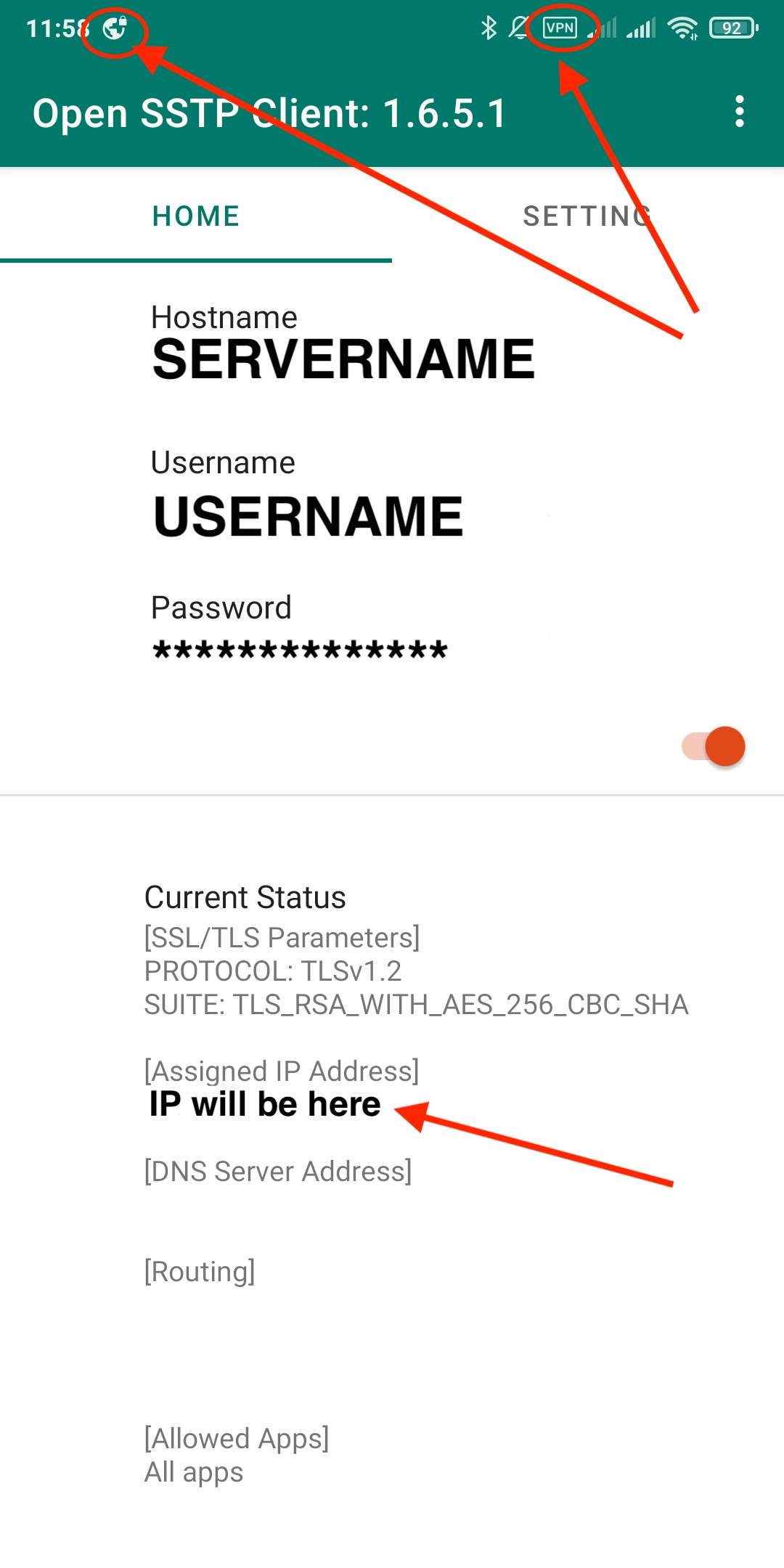
- Your Current Status will be change, you will see the Assigned
IP and VPN icons in Status bar.
This site is designed to provide secure corporate remote access. The use of information to bypass
blocked resources is prohibited.